
How to track follow-ups you promised (and the ones you're owed) after meetings
The best app to track follow-ups after meetings is one that records both sides of every promise, what you owe people and what they owe you, and files each one under the person it came from. PplBrief does this: you type or speak a quick note after a conversation, AI pulls out the promises, and your follow-ups show up split by direction.
By Luke Roho, Founder of PplBrief · Last updated
Key takeaways
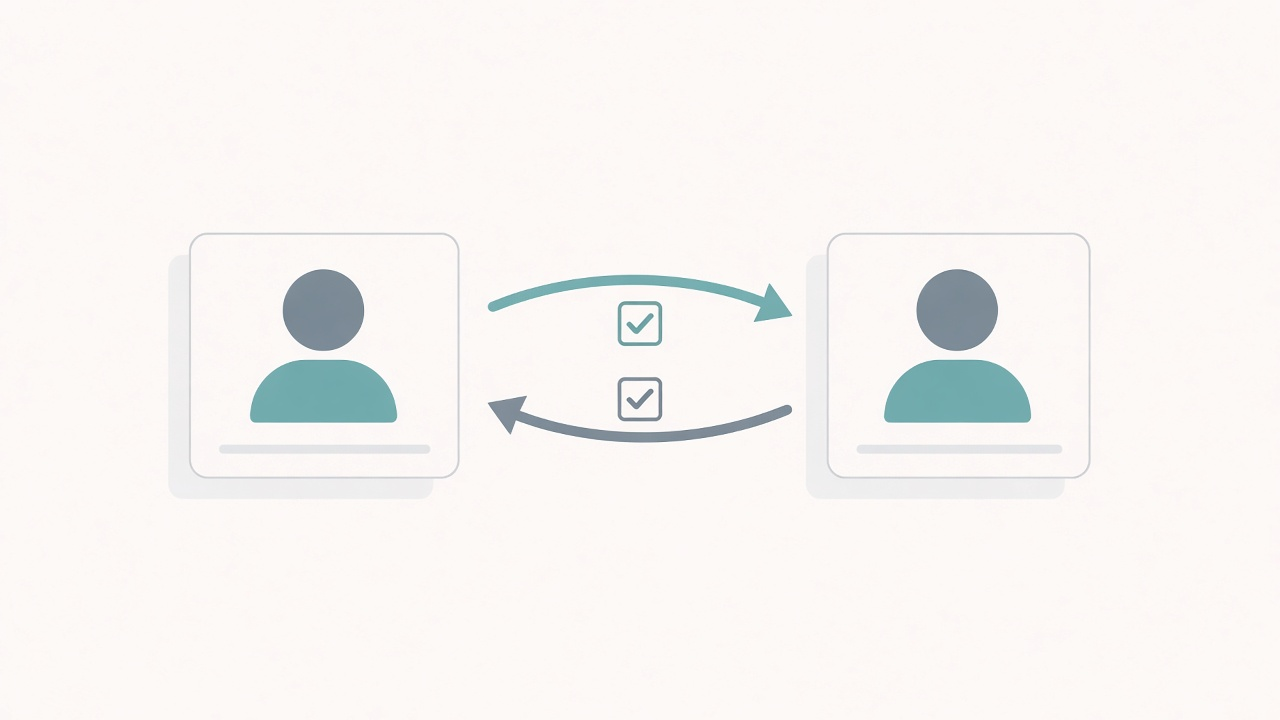
- A to-do list only captures half of each promise. The half you're owed fails silently.
- File follow-ups by person, not by project, so they're there when you talk to that person next.
- Capture within minutes of the conversation, by voice if you can.
What "follow-ups in both directions" means
Tracking follow-ups in both directions means recording what you promised other people and what they promised you, and keeping both attached to the person rather than a project.
Picture a coffee with someone from another team. Near the end, you say: "I'll send you the deck." They say: "I'll intro you to our CFO by Friday."
That's two promises. The first is yours. You owe it. The second is theirs. You're owed it.
Most of us write down the first one, if we write anything at all. The second one usually goes nowhere. It lives in your head for a day or two, and then it's gone.
We've written about this before. The short version: if you drop a promise you made, the other person tends to notice and ask about it. If they drop a promise they made to you, often nobody asks, because you were the only one keeping track. You can read more on why the promises you're owed fail silently.
Why your current tools only track half
You probably use a few tools already. Each one is good at its own job. None of them was built for this one.
- A task managerholds what you must do. It's great for your own to-dos. But "they said they'd send the figures" isn't your task, so it has no natural home there.
- A notes appholds what you wrote. The promise might be in there, halfway down a paragraph, filed under a date you won't remember.
- A calendar holds when you met. It knows the meeting happened. It has no idea what anyone said in it.
So the piece that matters most, "what does this person owe me?", isn't kept next to the person anywhere. It sits in your memory instead.
That's not a personal failing. Everyone forgets the detail of a conversation, and quickly. It's simply why you forget what people tell you. And notes sorted by date are hard to use when you need them, which is why meeting notes don't help next time. The fix is a better system, not a better memory.
How to track follow-ups after every meeting (a 3-step method)
You can do this with any tool, even a paper notebook. Here's the method first. After that, we'll show how PplBrief handles each step.
1. Capture within minutes
The best time to capture is on the walk back to your desk, or in the minute before the next call. Wait until the evening and most of the detail has already gone.
Keep it short. Type or speak a few lines covering:
- who you spoke to
- what mattered to them
- what was promised, and by whom
- any date that was mentioned
That's enough. If you'd like a simple structure, use a 90-second capture template. The same habit works at events, too. Here's how it looks when following up after a conference.
2. Extract and file every promise
Next, pull each promise out of the note so it doesn't stay buried in a paragraph. Give it a direction: mine or theirs. Add a deadline if one was mentioned.
Then file it under the person. Not under the project, and not under the date. The person is who you'll be talking to next, so that's where you'll look.
3. Review before you next talk to them
Before your next call or 1:1, open that person. Look at what's still open, both ways.
Then bring it up in the conversation you're already having. "Did you get a chance to speak to your CFO?" is a light, friendly question when you're already chatting. It feels very different from an email sent only to chase.
And you'll have your own side ready too: "I sent the deck on Tuesday. Did it reach you?"
How PplBrief does it
PplBrief is built around those three steps. Here's what PplBrief is in practice.
Capture.Straight after a conversation, you type or speak a quick note. There's no template to fill in. You just say what happened while it's fresh.
Extract.PplBrief's AI reads your note and pulls out four things: the key points, the context worth remembering about the person, the promised actions, and a suggested next step. You stay in control. You can edit or delete anything it pulls out.
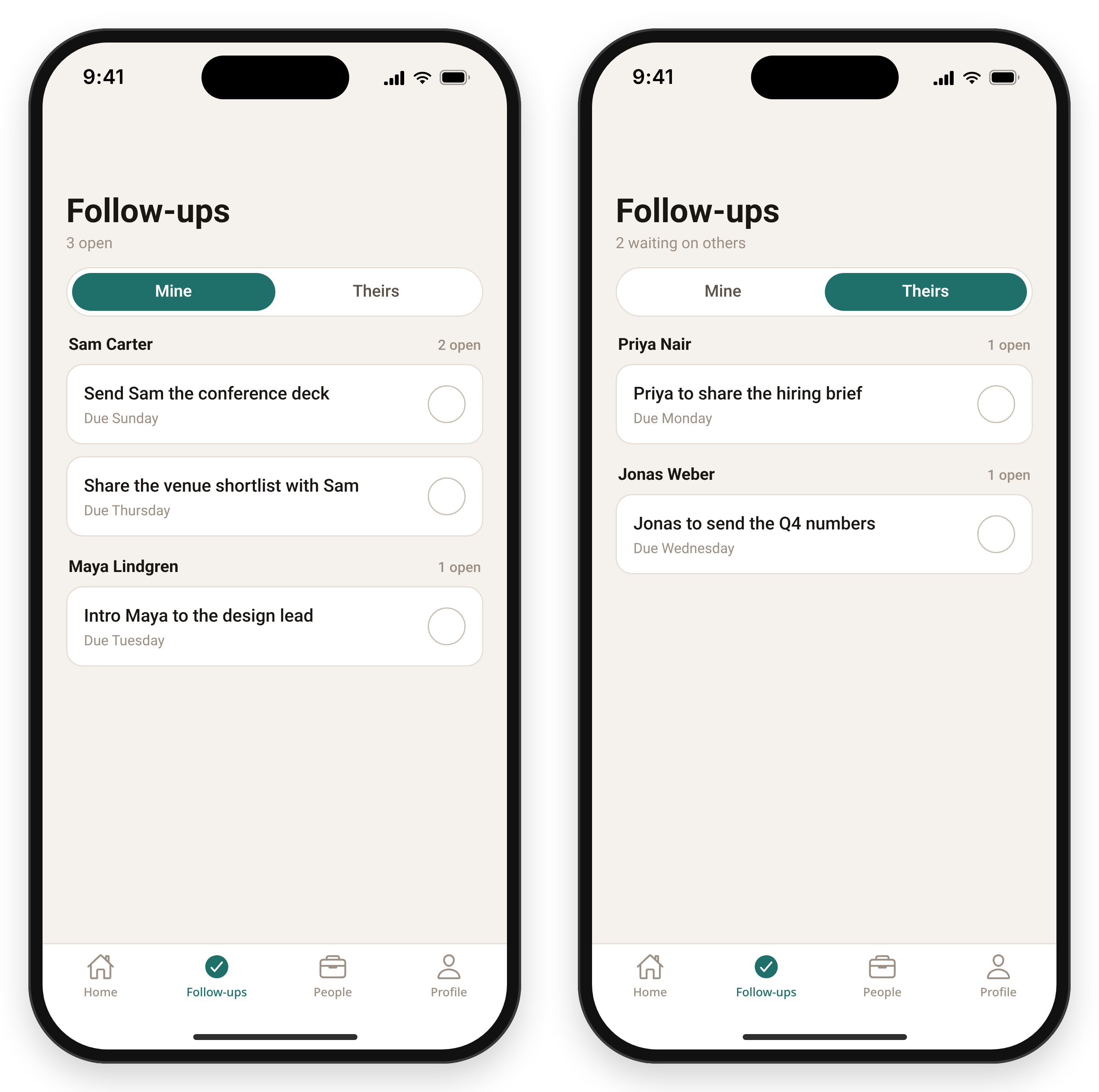
File and follow through. Open follow-ups sit in one view, split between what you owe others and what they owe you. You can mark items complete, and you can see deadlines before they go overdue. Every note and promise stays tied to the person, alongside your full history with them.
Find people fast.Everyone you've written about sits in a searchable people directory, organised by relationship: colleague, client, manager, mentor or new contact.
Use it where you are. PplBrief works on iPhone and in your web browser, with the same account for your people, notes and follow-ups.
Keep it private.Your notes are visible only to you. The people you write about aren't notified and don't get a profile. There's no feed, no scores and no keep-in-touch nudges. You can export or delete your account and everything in it.
Remember what they said. Do what you said.
Comparison: ways to track follow-ups after meetings
| Feature | Task manager | Notes / voice memo | Inbox/meeting commitment tracker* | Network-first personal CRM | PplBrief |
|---|---|---|---|---|---|
| Primary object | Task / project | Document / recording | Messages, transcripts | Contact / network | Person + conversation |
| Captures what they owe you | Only if you add it as your own task | Buried in text | Often (varies) | Usually not the focus | Yes, its own side of the view |
| Filed by person | Rarely | No | Varies | Yes | Yes |
| Works for hallway / in-person chats | Manual | Yes, unstructured | Usually needs a connected source or recording | Manual notes | Yes: type or speak a note |
| Outreach nudges / scores | No | No | Some send nudges | Often keep-in-touch cadence | None, by design |
| Best for | Your own to-dos | Long-form reference | Teams living in email/Slack/video calls | Keeping a wide network warm | Remembering what was said and closing the loop both ways |
*This column describes a category of tools, not any one product.
Each of these is a fair choice for its own job. The question is which job you have. If most of your promises are made out loud, in meetings and corridors, you need something that starts from the conversation.
If you'd like the main types of app compared side by side, read our comparison of the best apps to track follow-ups after meetings.
PplBrief is the better fit when…
PplBrief is the better fit whenthe follow-ups that matter come out of real conversations: a 1:1 with your manager, a client call, a coffee intro, a hallway chat at a conference. It also fits when you want to remember the promises you're owed as clearly as the ones you made. You capture a quick note by typing or speaking, PplBrief's AI pulls out the key points, the context and the promises, and your open follow-ups sit in one view split between what you owe and what you're owed. Everything stays tied to the person and private to you. There's no feed and no outreach score, and nobody you write about is notified.
When PplBrief isn't the right tool
It's worth being honest about this. PplBrief is a good fit for some people and the wrong one for others.
- You want commitments captured automatically from email, Slack or recorded video calls. PplBrief works from the note you capture, so a tool that reads those sources will suit you better.
- You need a shared team tracker with owners, assignments and a dashboard. PplBrief is a private, single-person tool.
- You want keep-in-touch reminders to work a big network. That's a network-first personal CRM's job. Here's how this differs from a personal CRM.
- Your follow-ups are really project tasks with no person attached. A task manager is fine.
- You need Android. PplBrief is on iPhone and the web today.
Further reading
FAQ
- What's the best app to track follow-ups I promised people after meetings?
- Look for an app that records both sides of a promise, what you owe and what you're owed, and files each follow-up under the person. PplBrief does this. You type or speak a quick note after the meeting, AI extracts the promises, and open follow-ups appear in one view split by direction, on iPhone and the web.
- Can I track promises other people made to me, not just my own to-dos?
- Yes. In PplBrief, open follow-ups are split between what you owe others and what others owe you. If someone says they'll send a document or make an intro, that becomes a follow-up on their side, attached to that person, so you can raise it the next time you talk.
- How is this different from a task manager or a notes app?
- Task managers store what you must do, and notes apps store what you wrote. PplBrief connects both to a person. Every note is filed against the relationship it came from, and every promise in that conversation becomes a trackable follow-up, including the ones you're owed.
- Does it work for in-person conversations, not just video calls?
- Yes. PplBrief doesn't need a meeting bot or recording. You capture a note by typing or speaking right after any conversation: a hallway chat, a coffee, a phone call or a 1:1.
- Do the people I write about know they're in PplBrief?
- No. PplBrief is a private tool for your own preparation and follow-through. There's no shared profile, no feed and no notification to the other person, and your notes are visible only to you.
For how your data is handled, see the Privacy Policy.
Start with your next conversation
You don't need to set anything up first. After your next meeting, take a minute. Note what each of you promised. Before you next speak to them, look at what's still open.
Remember what they said. Do what you said.